Rent Your Property to RBL Bank
How to Protect Your Device from APK Fraud?

Recent cyber threat reports have highlighted the circulation of malicious Android applications distributed through SMS, WhatsApp, Telegram, social media and third-party websites. These applications often impersonate banks, credit card providers, government services or trusted utilities to steal personal and financial information.
Fraudsters rely on one thing: convincing you to install an app from outside an official app store. This blog explains how these fake banking apps work, the warning signs to look for, and the steps you can take to protect your device.
What Is an APK File?
An APK (Android Package) file is the format Android uses to distribute and install mobile apps. It contains everything an app needs to run on your phone.
Apps downloaded from the Google Play Store are checked for security before they are made available. APK files obtained from other sources, such as links in messages or unknown websites, carry no such guarantee and can be used to hide harmful software.
How Scammers Use APK Files
Cybercriminals use social engineering to trick users into installing malicious apps. Here is how it typically unfolds:
- Posing as a trusted source: Fraudsters pretend to be bank representatives or customer support agents on calls, email, social media or messaging apps, and create a sense of urgency.
- Delivery: The user receives an APK file or a download link through SMS, WhatsApp, Telegram or email, often mimicking official communication.
- Installation: The user is asked to allow installation from unknown sources. The app then requests extensive permissions, such as access to SMS, contacts, camera, microphone and location.
- Misuse of information: Once installed, the app can read messages and OTPs, capture passwords and allow the fraudster to monitor or control the device without the user knowing.
How APK-Based Banking Frauds Work
A typical fraud journey looks like this:
- The customer receives a link through SMS, WhatsApp, Telegram or email.
- The user is prompted to download an APK file.
- The app claims to be a banking, credit card or trusted service application.
- The app requests excessive permissions.
- User information is collected and misused, often leading to unauthorised transactions.
Read More: Fake Traffic Challan Scam: How to Spot It and Protect Yourself
Warning Signs of a Fraudulent Application
Be cautious if you notice any of the following:
- The app is shared through WhatsApp, SMS, Telegram or unknown websites
- You are asked to install an APK file directly
- You are asked to enable "Install from Unknown Sources"
- The app requests permissions that are not needed for its purpose
- You are asked for your OTP, PIN, MPIN, CVV, passwords or card details
- The message promises instant card approval, rewards or an urgent account update
Read More: Beware of Spoofed Calls from 1600-Series Numbers: How to Protect Yourself
Review App Permissions Carefully
Permissions decide what an app can see and do on your phone. Before and after installing any app:
- Check whether the permissions requested are necessary for what the app does
- Be cautious of apps asking for access to SMS, phone calls, contacts, accessibility features or app installation privileges
- Download apps only from trusted app stores
Risks of APK Fraud
Installing a malicious APK can have serious consequences:
- Data theft: Personal and financial information, including login credentials and card details, can be stolen, leading to identity theft and financial loss.
- Device control: Fraudsters may gain control of your device, read your messages and install additional harmful apps.
- Unauthorised transactions: Stolen information can be used for banking or UPI fraud, sometimes in real time.
- Device performance issues: Malicious apps may slow down your phone or cause frequent crashes.
How to Download Apps Safely
- Use official app stores: Download apps only from the Google Play Store or Apple App Store.
- Check the developer and reviews: Verify the developer's name, ratings and reviews before installing.
- Verify permissions: Avoid apps that ask for access unrelated to their function.
- Use a secure connection: Avoid downloading apps or making transactions over public Wi-Fi.
Precautionary Measures
- Download applications only from official stores: Use the Google Play Store or Apple App Store.
- Never install APK files from messages or unknown links: This includes files received on SMS, WhatsApp, Telegram or email, even if they appear to come from your bank.
- Verify app developer details: Check the developer name before installation.
- Keep Play Protect and device security features enabled: These help detect harmful apps on your phone.
- Keep apps and your operating system updated: Updates fix security gaps that fraudsters exploit.
- Avoid unsecured networks: Do not use public Wi-Fi for sensitive transactions.
- Scan your device periodically: Use reliable antivirus software or government-recommended security tools under the Cyber Swachhta Kendra initiative to detect hidden malware.
- Verify messages before acting: Be careful with messages or calls claiming to be from your bank and contact the bank through its official channels.
- If you suspect a malicious app has been installed: Uninstall it, disconnect from the internet, contact your bank immediately and consider resetting your phone to factory settings.
Read More: How to Identify a Genuine Message from the Bank
If You Have Been Affected
If you are an RBL Bank customer:
- Report the incident at https://www.rbl.bank.in/report-a-fraud
- Contact RBL Bank Customer Service at: +91 22 6232 7777
You can also report cyber frauds to national authorities:
- Visit cybercrime.gov.in
- Call the Cyber Crime Helpline: 1930
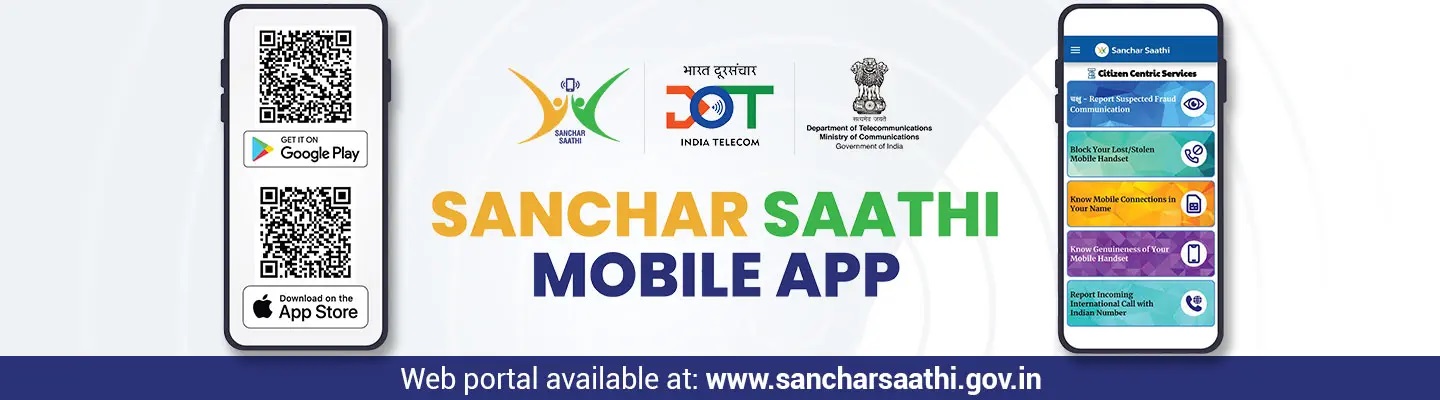
Scammers often mask international calls with Indian numbers or hide their identities. If you receive such a call:
- Report it via the DoT Sanchar Saathi portal: https://sancharsaathi.gov.in
- Alternatively, call the toll-free helpline 1800 11 0420 or 1963
APK fraud exploits the open nature of the Android ecosystem. By staying alert, avoiding apps shared through messages and using only official app stores, you can significantly reduce the risk of falling victim to fake banking apps.
Disclaimer:
Articles published on the website are merely indicative and suggestive in nature and do not amount to solicitation. The contents do not guarantee the desired returns and/or results. Reader is advised to exercise discretion and consult independent advisors for achieving desired result.

Tips for Identifying Genuine Bank Communications
In this blog, we will guide you on identifying genuine bank messages and tips to protect yourself from cybercrime scams.
 Oct 26, 2026


Stay Safe Online: Simple Tips to Avoid Cybercrime
In this blog, we will explore 10 essential cybersecurity tips to help you stay safe and secure online.
Oct 16, 2026

Which NRI Account Do You Actually Need? NRE vs NRO vs FCNR(B) Explained
In this blog, we will explore NRE, NRO, and FCNR(B) accounts to help NRIs manage and grow their earnings.
Oct 14, 2026

1600-Series Call Scam: How Fraudsters Spoof Numbers to Steal from You
In this blog, we will explore how fraudsters are exploiting 1600-series numbers through caller ID spoofing and what you can do to protect yourself.
Oct 07, 2026

Your Complete Financial Checklist for Travelling Abroad
In this blog, we will explore everything you need to sort financially before travelling abroad — from carrying money smartly to staying protected.
Sep 09, 2026

One Card, Multiple Currencies: Managing Money Abroad Made Simple
In this blog, we will help you understand how a multi-currency forex card works and how it can make managing money across multiple destinations simpler.
Sep 02, 2026

The Rise of Digital Arrest: Safeguard Your Data from Cybercriminals
In this blog, we will explore "Digital Arrest," its risks, and practical tips to safeguard your online security.
Sep 02, 2026

Fake Traffic Challan Scam: How to Spot It and Protect Yourself
In this blog, we will help you identify a fake traffic challan SMS and protect yourself from this growing digital fraud.
Aug 05, 2026

The Complete Guide to NRI Banking and How to Choose the Right Bank
In this blog we will explain how NRIs can choose the right bank for seamless global financial management.
Aug 04, 2026

How Can You Avoid Falling into the Fraudster’s Trap
In this blog, we will explore ways to protect your personal and financial information from digital fraud by spotting scams and staying safe.
Jul 21, 2026

How to Maximise Credit Card Reward Points in India - A Complete Guide
In this blog, we will explore how to maximise credit card reward points and unlock greater value from everyday spending.
Jul 13, 2026

5 Smart Financial Moves to Make Right Now
In this blog, we will share five practical mid-year financial moves to review spending, savings, investments, credit cards, and loans.
Jul 07, 2026

How to Safeguard Yourself from AI Voice Cloning Fraud
In this blog, we will explore how AI is being used to clone voices for fraud and how you can protect yourself.
Jul 01, 2026

Act Fast: Updating Your Contact Info is Key to Secure Banking
In this blog, we will learn about the importance of updating your contact details for secure banking and fraud prevention.
Jun 22, 2026

How to Get a Home Loan in India: A Step-by-Step Guide
In this blog, we will guide first-time home buyers through eligibility, documents, tax benefits, and government schemes.
Jun 08, 2026

The Risks of Juice Jacking: Tips to Keep Your Data Safe
In this blog, we will explore juice jacking — a cybercrime where hackers use public USB ports to silently steal data or install malware on your device.
Jun 03, 2026

How to Teach Teenagers Financial Responsibility
In this blog we will explore practical ways to teach teens budgeting, saving, investing, and responsible money management skills.
May 25, 2026

The Ultimate Guide to Planning for Your Child’s Education
In this blog we will explore smart strategies to plan, save, and invest for your child’s education goals.
May 18, 2026

Stay Alert: Protect Yourself from Phishing Fraud
In this blog, we will explore how phishing scams work and simple ways to spot and avoid them.
May 06, 2026

The Essential Guide to Building an Emergency Fund
In this blog, we will explore steps to create an emergency fund that protects you during uncertain times.
Apr 27, 2026

The 50/30/20 Rule: A Smart Way to Budget, Save, and Spend
In this blog, we will explore how the 50/30/20 rule helps manage spending, savings, and financial stability.
Apr 18, 2026

Financial Wellness Tips: Mindful Budgeting for Stress-Free Living
In this blog we will explore how mindful spending and smart budgeting improve financial wellness and reduce daily stress.
Apr 10, 2026

The Hidden Dangers of Sharing Complaints on Social Media
In this blog, we will explore how online complaints can attract fraud and how to stay safe.
Apr 01, 2026

Proactive Service: The New Standard in Affluent Banking
Explores how premium and affluent banking is shifting from routine transactions to anticipatory, frictionless service that builds client trust.
Mar 18, 2026

What are Fake CAPTCHA Websites and How to Protect Yourself?
In this blog, we will explain how fake CAPTCHA scam websites work, how they trick users, and share tips to protect devices and data online.
Mar 04, 2026

From Portfolios to Stewardship – The Shift in Niche Wealth Management
Explores how wealth management is shifting from portfolio execution to advice-driven stewardship in a complex, multi-generational world.
Feb 11, 2026

Understanding Life Certificate Scams and Preventive Measures
In this blog, we will explore Life Certificate scams, why pensioners are targeted, key warning signs, and effective prevention measures.
Feb 04, 2026

The New Definition of Wealth: Why Experiences Matter More Than Assets
Explores affluent individuals defining wealth through experiences, purpose, and intentional living, reshaping luxury beyond ownership management.
Jan 31, 2026

A Practical Guide to Financial Planning for Parenthood
In this blog, we will explore how to financially prepare for parenthood, manage baby expenses, insurance, savings, and long-term goals.
Jan 28, 2026

How to Balance Debt Repayment with Saving for Retirement
In this blog we will learn how to balance debt repayment and retirement savings without sacrificing future financial security.
Jan 12, 2026

Smart Money Tips for Newlyweds: Build Wealth Together
In this blog we will guide newlyweds through practical budgeting, saving, investing, and planning strategies for a financially secure marriage.
Dec 15, 2025

Cybersecurity in Banking: Key Threats and Protection Strategies
In this blog we will explore major banking cybersecurity risks and best practices that enhance customer trust.
Dec 08, 2025

How Alternative Credit Scoring Is Expanding Financial Access in India
In this blog we will explore how alternative credit scoring expands financial access for underserved and new-to-credit borrowers in India.
Nov 20, 2025

The Partnership Model: How SMEs Accelerate Growth with Relationship Banking
In this blog, we will explore how SMEs can thrive through strategic banking relationships beyond mere funding.
Nov 20, 2025

Stay Safe: Watch Out for These 5 Cybersecurity Red Flags
In this blog, we will explore rising cyber threats in India and key precautions you can take to protect yourself online.
Nov 06, 2025

Beware of Income Tax Refund Scams: Stay Safe, Stay Smart
In this blog, we will uncover how Income Tax refund scams work and share practical tips to protect yourself.
Nov 04, 2025

Online Sextortion: Protect Yourself from Digital Blackmail
In this blog, we will explore online sextortion scams in India, their impact, warning signs, and ways to protect yourself effectively.
Oct 28, 2025

What Is Cryptojacking and Why Should You Care?
In this blog, we explain what cryptojacking is, how it affects devices, warning signs, and ways to prevent hidden crypto-mining threats.
Oct 20, 2025

Parcel Scams: How to Spot and Avoid Them
This blog highlights parcel scams in online shopping, where scammers pose as delivery services to steal info or money. Stay alert.
Oct 16, 2025

How Banking Partner Can Help Business Leaders Build A Lasting Legacy
In this blog, we will explore how a strategic banking partner supports business leaders in creating lasting, sustainable growth.
Oct 07, 2025

How Bancassurance is Transforming Insurance in India
In this blog, we will explore how bancassurance simplifies insurance in India, offering trust, convenience, and financial security.
Oct 01, 2025

IRCTC RBL Bank Credit Card: Your All-in-One Travel Companion
In this blog, we explore how the IRCTC RBL Bank Credit Card simplifies and rewards everyday travel in India.
Sep 23, 2025

Why RBL Bank’s Senior Citizens FD is an Ideal Choice?
In this blog, we will explore the key benefits of RBL Bank’s Senior Citizens Fixed Deposit scheme.
Aug 12, 2025

Downloading Files Online: Safety Tips to Prevent Falling Prey to Cybercrime
In this blog, we will explore simple tips to download files safely and avoid falling for cyber threats.
Aug 06, 2025

Your Ultimate Guide to Filing Income Tax Returns (ITR) for FY 2024–25
In this blog, we will comprehensively explore the process, timelines, and key considerations for filing your ITR for FY 2024–25.
Jul 23, 2025

A Practical Guide to Smart Budgeting and Saving for Financial Control
In this blog, we will explore simple budgeting tips, saving strategies, and digital banking tools to manage money better.
Jul 07, 2025

Rethinking Banking Through Better Customer Experience
A perspective from Narendra Agrawal on elevating banking through seamless, customer-first experiences across all channels.
Jul 07, 2025

How to Create a Strong Password that Protects You Against Cybercrime?
In this blog, we will explore the importance of strong passwords and how they protect against cybercrime threats.
Jul 01, 2025

What Are Digital Invitation Scams and How You Might Be a Target
In this blog, we will highlight warning signs of digital invite scams and share practical tips to protect your device.
Jun 25, 2025

A Complete Guide to ATMs: Benefits, Purpose, and Tips
ATM has truly transformed the way we manage funds online. Learn more about its features and safety tips.
Jun 18, 2025

Benefits of Having 2 Credit Cards: The Advantage of Multiple Cards
Multiple cards give you access to a large amount of credit. It helps you make the most of the interest-free period. When used wisely, having more than one…
Jun 16, 2025

Smart Investing for Beginners: Everything You Need to Know
In this blog, discover basic investment concepts and beginner tips to start building long-term financial growth.
Jun 09, 2025

Know the Eligibility Criteria Applicable for a Credit Card
This blog covers key eligibility criteria and required documents for obtaining a credit card, guiding you through the application process.
Jun 05, 2025

5 advantages of using your Credit Card internationally
Credit cards are useful for international travel, enabling cash-free payments. Here’s a look at additional benefits.
Jun 05, 2025

Stay Secure: Simple Habits for Mobile Phone Safety
In this blog, we will explore smart mobile security habits to help you protect your device and personal data.
May 30, 2025

Open Digital Fixed Deposits at Attractive Interest Rates
Explore how Digital Fixed Deposits offer secure returns, attractive interest rates, and the convenience of easy online booking and management.
May 27, 2025

The Risks of Downloading Apps from Unofficial Sources
Explore the dangers of apps from unauthorized sources, including malware, data breaches, and financial scams.
May 26, 2025

How a Dedicated Savings Account Can Change a Woman’s Financial Future
In this blog, we will explore how a dedicated savings account helps women achieve independence and financial clarity.
May 14, 2025

Understanding CIBIL Score and Report: Key Differences Explained
Are you new to the world of credit and confused with all the terms coming your way? Want to know the difference between CIBIL Score and CIBIL Report? Here…
May 08, 2025

How to Spot and Avoid WhatsApp Scams
In this blog, we will explore the most common WhatsApp scams, how they work, and practical tips to avoid falling victim.
May 07, 2025

Everything to know about PAN Card fraud
This blog post provides valuable insights into PAN Card fraud, including options to check PAN Card fraud and ways to prevent falling victim to them.
Apr 30, 2025

5 Essential Tips for Safe Online Shopping in India
This blog covers five essential tips for safe online shopping, including secure websites, safe payments, and protecting personal information.
Apr 29, 2025

Certificate of Deposit Vs Fixed Deposit
Discover the differences between Certificates of Deposit (CD) and Fixed Deposits (FD), including their meanings, benefits, and rates.
Apr 21, 2025

8 Types of Bank Frauds Everyone Should Know
In this blog, we will highlight 8 bank fraud types that every customer should be aware of.
Apr 16, 2025

Step-by-Step Guide to Updating Your Aadhaar Address Without Hassle
In this blog, we will guide you on updating your Aadhaar address online, eligibility, and required documents.
Apr 14, 2025

Investment Fraud: How to Safeguard Your Finances
Learn how to recognize and protect yourself from investment fraud. Discover key strategies to safeguard your money and avoid common scams.
Apr 02, 2025

Best Foods to Enjoy during Ramadan
In this blog, we will explore must-try Ramadan foods in India and the best places to enjoy them.
Mar 19, 2025

What are the advantages of a Digital FD?
Digital Fixed Deposits offer numerous advantages, transforming how you secure your financial future. Let's explore the key benefits of choosing digital FDs…
Mar 17, 2025

Digital Payments: A Smarter, Safer, and Faster Way to Transact
In this blog, we will explain digital payments, their impact, and essential safety tips for secure transactions
Mar 10, 2025

Deepfakes Explained: How They Work and How You Can Stay Safe
In this blog, we will explore deepfake scams, their risks, and how to stay safe from them.
Mar 05, 2025

FD Premature Withdrawal Penalty Calculator: Interest, Penalty & Closure Cha..
FD premature withdrawal penalty calculator helps determine the amount you'll receive if you close your FD before the specified tenure.
Feb 18, 2025

Key Takeaways from Union Budget 2025: Tax Updates and More
In this blog, we will explore Union Budget 2025's key tax changes and economic highlights.
Feb 06, 2025

Step-by-Step Guide to Reporting Cybercrime on India’s National Portal
In this blog, we will guide you on reporting cybercrimes using India’s National Cyber Crime Portal.
Feb 05, 2025

Step-by-Step Guide to Resolving Video KYC Photo Mismatches
Facing video KYC failures? A mismatched PAN photo may be the cause. Learn how to update your PAN card photo for smooth verification.
Jan 22, 2025

Credit Cards: A Guide to Maximising Your Card's Potential
Unlock the full potential of credit cards with this comprehensive guide on benefits, types, and application tips.
Jan 10, 2025

Mule Accounts: A Quick Guide to the Threat
Discover the dangers of mule accounts and illegal payment gateways, and learn how to protect yourself.
Jan 01, 2025

How to Update/Link Your Mobile Number with Aadhaar in Simple Steps
In this blog, we will guide you through linking your mobile number with Aadhaar seamlessly.
Dec 23, 2024

How Fradulent Android Apps are a Threat to Your Data and Finances
In this blog, we will uncover tactics of fraudulent Android apps, their warning signs, and essential protection tips.
Dec 02, 2024

How to Protect Yourself from Social Engineering Attacks
This blog covers how social engineering attacks work and offers essential tips to recognise and prevent them.
…
Nov 04, 2024

How the India Post Delivery Scam Works and How to Avoid It
In this blog, we will uncover how the India Post delivery scam works, highlight warning signs, and share tips to help you stay secure.
Oct 29, 2024

Shop Smart, Save Big: How to Maximise Credit Card Benefits
In this blog, we will explore how to maximize your credit card benefits and unlock savings this festive season.
Oct 10, 2024

6 Tips for Effective Savings Account Management
Learn key tips to manage your savings: maximize interest, maintain MAB/QAB, monitor fees, and leverage digital banking for better financial health.
Sep 21, 2024

How to Spot and Avoid Impersonation Scams
This blog explores how impersonation scams work, highlights warning signs, and offers tips to protect yourself from these sophisticated frauds.
Sep 02, 2024

Shop Smarter, Save Better: Discover Shoprite Credit Card
Turn everyday shopping into rewards with the RBL Bank Shoprite Credit Card. Earn cashback, rewards points, and exclusive benefits.
Aug 23, 2024

Understanding Benefits of Fixed Deposits for Senior Citizens
This blog highlights the key benefits of fixed deposits (FDs) for senior citizens and why they remain a secure, reliable investment choice.
Aug 14, 2024

Why should women have their own Savings Account?
In this blog, we explore the significance of women having personal savings accounts, promoting financial independence, literacy, and empowerment.
Jul 29, 2024

Credit Card EMI: Empowering Your Purchasing Power
In this blog, we explore how EMI on Credit Cards lets you convert large purchases into manageable payments, offering flexibility and budgeting.
Jul 15, 2024

Lost or Stolen Credit Card? Here’s Your Step-by-Step Guide
This blog covers the essential steps to take if your credit card goes missing, offering a simple and straightforward process. Read more...
Jun 10, 2024

How Cyber Insurance Can Save Yourself from Financial Loss
Learn how cyber insurance protects against cyber-attacks and how the RBL Bank GO Savings Account offers free coverage.
May 31, 2024

How do Credit Cards Work?
In this blog, we will explain what credit cards are, how they work, and provide tips for using them responsibly to make informed financial decisions.
May 27, 2024

10 Common Credit Score Myths You Should Know
In this blog, we'll debunk common credit score myths, providing clarity to help you make smarter financial decisions.
May 15, 2024

How to Save on Income Tax? A Step-By-Step Guide
In this blog, we'll explore Income Tax in India, unraveling its structure, discussing tax-saving strategies, and helping you navigate the system.
Mar 20, 2024

4 Ways to Save Tax with your Home Loan
Discover 4 essential ways to maximize tax savings and achieve your dream homeownership.
Mar 15, 2024

The Evolution of Women: From Penny Pinching to Power Planning
Celebrating women's financial empowerment, offering tailored banking solutions and resources for informed decision-making and independence.
Mar 07, 2024

Building the Foundation: The Power of Saving & Compounding
Saving is the process of putting money away for future use instead of spending it right away.
Mar 01, 2024

Financial Literacy Week 2024: Make a Right Start with Secure Online Habits
Learn the best practices for online safety to help you navigate through the digital world with resilience and peace of mind.
Feb 29, 2024

How to Open a Digital Savings Account?
Opening a Digital Savings Account needs Aadhaar, PAN Card details and verification. Know these steps before opening a Digital Savings Account.
Feb 23, 2024

What are the types of Fixed Deposits?
Secure your future with Fixed Deposits (FDs) for guaranteed returns and flexible investment options. Learn more about different types of FDs.
Feb 09, 2024

How to Protect Passwords? Risks, Frauds, and Security Measures
Learn to protect your digital identity from hackers and scams with smart password choices and strong security measures.
Feb 07, 2024

How much money should you keep in your savings account?
A Savings Account offers more than saving; it’s a versatile tool with many benefits. This guide helps you navigate today’s financial landscape.
Jan 18, 2024

Ways to Protect Yourself Against Social Media Frauds
Beware of rising social media frauds! From phishing to identity theft, scammers exploit digital platforms. Learn to protect yourself from these scams.
Jan 03, 2024

8 Things You Should Consider Before Applying for an Education Loan
Education loans are a vital financial tool, supporting students globally. Here are some key benefits of education loans.
Dec 22, 2023

What is Net Banking? A Complete Guide
Internet banking, also known as Net Banking, isn’t just a service, it’s a financial friend that speaks the lingo of modern India.
Dec 15, 2023

How to make the best use of Credit Cards this festive season?
Let's look at how credit cards can transform your life this festive season, from reward points to bank partnerships.
Nov 02, 2023

Safeguarding Your Identity: A Roadmap to Theft Prevention
Identity theft is one such threat that involves stealing individual’s personal or financial data to use their identity for fraudulent activities. Read More…
Oct 06, 2023

How to get a Loan Against Property? Tips & Benefits
A Loan Against Property is a type of secured loan that lets you pledge your home or commercial real estate as collateral.
Sep 30, 2023

8 Common Banking Scams and How to Prevent Them
Read on to find out the different ways in which you could get caught in the web of cybercrime, in order to stay alert at all times.
Aug 01, 2023

Benefits of using Credit Cards for everyday purchases
In this blog, we’ll explore some tips and strategies for you to use your credit card wisely and make the most of its benefits.
Jul 24, 2023

Discover the Benefits of Yoga on International Yoga Day
Here’s why should you make Yoga a part of your daily routine. This Yoga day revisit and strengthen your commitment to Yoga.
Jun 20, 2023

A Complete Guide and Checklist to Efficient Tax Filing
Filing your taxes on time is also important because it is a legal requirement. Here’s a checklist to follow.
Jun 09, 2023

Protect yourself from UPI Frauds
UPI frauds are becoming more sophisticated, so users must stay vigilant and take precautions to protect themselves.
Jun 07, 2023

5 ways to teach children financial responsibility
In this blog, we explore how to teach kids financial responsibility and help them develop smart money habits from an early age.
Apr 17, 2023

Emergency Fund Guide: How to Prepare for Unexpected Expenses
Emergency fund is the ultimate solution to prevent debts from loans and overdrafts. Here are a few suggestions that can get you started.
Mar 09, 2023

Everything to know about Online Frauds
Stay informed and protected with the latest insights on online frauds, from prevention to recovery tips.
Jan 31, 2023

What is KYC? and How important it is in Fixed Deposit
KYC (Know Your Customer) is an RBI-regulated identity verification process. Learn about its full form, types, and importance in Fixed Deposits.
Dec 30, 2022

Ways to get the Best FD Rates in India
Discover how to secure the best bank FD rates for maximum short-term returns. Read our blog for tips!
Dec 21, 2022

Best Short-Term Investment Plans with High Returns in India for 2023
Short-term investment plans can enhance your savings with higher returns. Let’s explore the top six options available.
Dec 20, 2022

How to Choose the Right Fixed Deposits (FD) for Investment?
Learn more about the higher rates on different fixed deposit types as per your financial planning. Compare & choose which FD is best for your investment…
Dec 13, 2022

Understand 10 Money Saving Tips to Achieve your Goals
Here are 10 crucial money-saving tips to secure your financial future and better plan your budget.
Dec 08, 2022

Difference between Savings Account and Fixed Deposit Account
Explore the differences between a savings account and a fixed deposit (FD), including their meaning, benefits, and interest rates.
Dec 07, 2022

Difference Between Cumulative and Non-Cumulative FD
Learn more about the difference between Cumulative Fixed Deposits (FD) vs Non-Cumulative Fixed Deposits (FD).
Dec 02, 2022

Bank Fixed Deposits and Corporate Fixed Deposits: Major Advantages and Diff..
Discover the differences between Bank and Corporate Fixed Deposits to determine the best option for your needs.
Nov 29, 2022

What is the difference between Term Deposit and Fixed Deposit?
Explore the differences between term and fixed deposits, including flexibility, interest rates, tenure, and profit potential in risk-free investments.
Nov 29, 2022

Are You Overlooking These Fundamental Banking Facts? #FarzBantaHai
The #FarzBantaHai campaign educates on essential banking truths, emphasizing transparency and clear communication.
Nov 25, 2022

What is a Fixed Deposit? Know the meaning & features of FD
A fixed deposit lets you invest for a set term and earn fixed returns. Learn about its definition, characteristics, and functionality.
Nov 22, 2022

What are the types of Fixed Deposits?
Discover different types of FDs for various investment purposes to secure your financial future. Explore risk-free options.
Nov 22, 2022

How does a bank calculate interest on your FD?
To calculate interest on fixed deposits, use the formula (PxRxT/100) or [P * {(1+R/100) ^ T}] - P. Check out RBL Bank's FD calculator for more.
Nov 18, 2022

How does Fixed Deposit Account Work?
A Fixed Deposit lets you invest for a fixed term and earn maximum returns at a fixed interest rate. Learn how fixed deposits work in India.
Nov 18, 2022

Short-Term or Long-Term Fixed Deposit: Which One To Choose?
Explore the differences between Short Term and Long Term FDs, including definitions, benefits, eligibility, and interest rates.
Nov 07, 2022

Fixed Deposits vs Equity Investments – A Compressive Guide
Understand the differences between Fixed Deposits and Equity Investments, covering definitions, risks, returns, and benefits.
Nov 01, 2022

Fixed Deposits vs Liquid Funds: A Detailed Guide
Compare liquid funds and fixed deposits to make informed decisions, including definitions, benefits, eligibility, and interest rates.
Nov 01, 2022

Fixed Deposit vs Mutual Funds: Which is Best to Invest?
Explore the differences between Fixed Deposits and Mutual Funds, including definitions, benefits, comparisons, eligibility, and interest rates.
Oct 27, 2022

Fixed Deposit Vs Public Provident Fund: Which is Good?
Learn the differences between Fixed Deposits (FD) and Public Provident Fund (PPF), including their definitions, benefits, eligibility, and interest rates.…
Oct 27, 2022

What is the difference between a Fixed Deposit and a Recurring Deposit?
Compare fixed deposits and recurring deposits, covering definitions, benefits, eligibility, and interest rates.
Oct 20, 2022

Fixed Deposits: Ideal Investment Options for Beginners
New to investing? Fixed Deposits offer high returns, low risk, and easy liquidity - an ideal choice for beginners.
Oct 18, 2022

Redefining Work Life Balance
The term Work-Life balance is one of our bigger self-created spectrums. We have more choices and avenues to bring our passion and work together. Read More…
Oct 12, 2022

Digital Banking Frauds & How Can We Safeguard Ourselves?
In this blog, we will explore the rise of digital banking fraud and share effective strategies to safeguard your finances.
Sep 27, 2022

Get To Know Exactly What Convenience Banking Is All About!
In this blog, we will explore how convenience banking simplifies your financial activities with easy and accessible services.
Sep 07, 2022

What is Tokenisation and how important is it for you to use?
Tokenisation will offer an additional layer of security to users' sensitive data, preventing online and digital data breaches. Read More...
Aug 26, 2022

How Digital Savings Account differs from a Savings Account
Digital Savings Accounts are popular for quick, easy access and differ from traditional Savings Accounts in five key ways.
Aug 02, 2022

6 reasons to buy health insurance at a young age
From lesser premiums to tax benefits, here are six reasons why insurance is considered the first step in investment planning.
Jul 28, 2022

Vigilance - Key to avoid being a victim of online frauds
With online banking frauds on the rise, some simple precautions can help you keep your account and money secure.
Jul 05, 2022

4 Reasons why you need the RBL Bank Cookies Credit Card
The RBL Bank Cookies Credit Card covers all expenses, from groceries and fuel to luxury purchases and online shopping.
Jun 23, 2022

10 income tax rules that are effective from April 2022
Here is a quick summary of the new income tax reforms that have come into effect from April 2022.
Jun 17, 2022

5 Methods to Report a Lost or Stolen Debit Card
How to report a stolen or a lost debit card to the bank directly from your mobile. Read Here.
Jun 16, 2022

The definitive guide on salary and savings accounts
Understand the differences and similarities between a savings account and a salary account.
Jun 06, 2022

To #RahoCyberSafe, read some recommendations from our blog
This blog highlights some common scam methodologies and recommends a few best practices to stay vigilant in such scenarios.
May 30, 2022

How to achieve short term goals with Recurring Deposit
Recurring Deposit is one of the best products to help create a habit of saving for the future.
Apr 27, 2022

The many faces of Digital Banking
Learn how 'Digital Banking' is changing the lives of internet users from different walks of life.
Apr 05, 2022

Learn how to secure yourself from QR code scams
Let us take a look at the most common types of QR code scams and how to protect one’s savings & bank balances from such scams.
Apr 04, 2022

Decoding the Old and New tax regime
This blog will help you identify the right tax regime with a detailed list of exemptions, deductions, and tax rates.
Mar 09, 2022

How to select the perfect Savings Account #SavingsHaiAsaan
The blog highlights how to choose the right savings account, showcasing personal stories and emphasizing RBL Bank's features and benefits.
Feb 28, 2022

A gentle reminder on how to use the internet safely
From cyberbullying to safe mobile banking, here is a definitive guide of handling the internet safely.
Feb 17, 2022

Walk into the new year with a financial plan in place
As we walk into another, hopefully better year, here are 5 golden tips about financial planning to help you manage your money better.
Dec 22, 2021

Reasons why you should switch to Mobile Banking
In this blog, we will explore how mobile banking in India is transforming convenience, control, and customer trust.
Nov 11, 2021

Digital Savings Account: Innovation in Convenience Banking
Looking for a reliable banking partner that lets you transact with convenience on the go? Here's what you get with RBL Bank's Digital Savings Account.
Oct 20, 2021

The New Normal of Convenience Banking
The evolution of the traditional savings account, and 5 ways to make your digital savings account work for you!
Oct 07, 2021

Tips to keep your OTP safe from online fraud
Online frauds have surged with the rise in digital transactions during the COVID-19 lockdown. It’s crucial to keep your OTP safe. Here are some tips.
Oct 04, 2021

Steps to take if you are victim to a credit card fraud
Let us take a look at the different kinds of credit card scams and Immediate steps to take when you have been scammed.
Sep 07, 2021

Tips to protect seniors from online frauds
Seniors citizens are often targeted by online scammers. Here are a few tips that will help them protect themselves from online frauds.
Aug 24, 2021

The millennial guide to studying abroad
Here are a few pointers that will help international students to transform outbound journey into a seamless experience.
Jul 26, 2021

Thank you to every Dad for being the best financial advisor
On the occasion of Father’s Day, let’s revisit some of the best financial advice given by all the Dads ever since our childhood days.
Jun 18, 2021

Go Green with Digital Banking this World Environment Day
Here’s a quick guide on how you can help to keep the world greener while you embrace the benefits of Digital Banking.
Jun 04, 2021

How Smishing works & ways to avoid it
Do you know what Smishing is and how it works? Read how to avoid getting lured by Smishing attacks.
May 17, 2021

Best Financial Gifts For Your Mother
This article seeks to shed light on viable financial gifts that can be gifted to all mothers this Mother’s Day.
May 07, 2021

A beginner’s guide to open a savings account
Let us take a look at how you can open a savings account and utilize its advantages for your good.
Apr 28, 2021

Sharing is not always caring, learn to #UnShare
RBL Bank's #UnShare initiative encourages caution in safeguarding your ATM PIN, CVV, OTP, and vital bank details to protect against fraud.
Apr 12, 2021

A Savings Account is a woman's best friend
Banks nowadays have specific ‘woman’s savings accounts’ which have been created to satisfy more benefit-hungry customers.
Mar 25, 2021

5 Reasons you should choose investing in FD
Looking for a reliable investment to navigate uncertain times? Here’s why fixed deposits are a smart choice.
Mar 08, 2021

The Do's and Don'ts of Banking for Senior Citizens
Safe banking and savings or investment options such as fixed deposits help senior citizens lead a stress-free and secure retired life.
Feb 18, 2021

About vaccination phishing scams and how to avoid them
Online data protection is vital amid COVID-19 vaccine phishing scams. Learn how to stay safe and avoid falling victim to these frauds.
Feb 12, 2021

How to choose the ideal RBL Bank Debit Card for yourself
Want to avail the ideal debit card that fits your requirements? Here’s everything you wanted to know.
Jan 26, 2021

Identifying a scam or a fraudster is easier than you think
Identifying a scam or a fraudster is easier than you thought. Here’s a look at how you can prevent such deceptions.
Jan 18, 2021

Want to pay friends and relatives immediately? Pay instantly using UPI
This blog highlights UPI's key benefits: low cost, security, and instant transfers.
Dec 10, 2020

Benefits of online savings accounts
There are multiple benefits of opening an online savings account. Have a look at the benefits of online savings account.
Dec 03, 2020

Importance and Benefits of Tax Saving
Did you know tax planning can significantly reduce your liability? Here’s why tax saving matters and its benefits.
Nov 10, 2020

Festive Season Tips for Smart Shopping
As you venture into shopping during the festive season, here are a few shopping tips to keep in mind.
Nov 05, 2020

Stay safe when you are online
It’s important for online users to ensure cyber security to protect themselves from cyberattacks by people out to defraud.
Oct 17, 2020

Experience the new way of contactless banking
Get ready for uninterrupted contactless banking journey with seamless services, smart and secure features and a lot more.
Oct 13, 2020

Key changes in financial planning due to pandemic
The COVID-19 crisis has reshaped financial planning, requiring key adjustments to adapt to the new normal.
Sep 10, 2020

Smart tips for teaching children money management
It's never too early to teach kids money management. Here are some tips to get started.
Aug 21, 2020

How to build your credit worthiness: Millennial Edition
If you are a new millennial who wants to understand how to be a good candidate for credit, here are some tips.
Aug 19, 2020

How can digital finance empower more women?
Digital finance plays a key role when it comes to empowering women and ensuring greater financial inclusion.
Aug 17, 2020

How the internet has transformed your relationship with your bank
The advent of the internet has provided the banking sector with a digital core, which provides for reduced costs and streamlined banking services.
Aug 14, 2020

What is Online Phishing? How do you avoid getting your account Phished?
Let’s see what this online phishing is all about and how to prevent being their victim.
Aug 13, 2020

5 things to know before applying for an Education Loan
Here are some basics to keep in mind before you apply for an an Education Loan.
Aug 07, 2020

All about CIBIL Score and how is it calculated
If you are looking for credit, you must have heard about the CIBIL Score from a lot of people around you. Let’s find out what it is, how it works, and why…
Aug 06, 2020

Cycle Of Good Credit
The higher the score, the better are your chances of loan approval. Here’s how the cycle of credit functions in the Indian landscape.
Jul 28, 2020

Credit-Readiness begivns with good credit habits
A high CIBIL Score ensures easy access to credit when needed. Follow these credit habits to build and maintain good credit health.
Jul 24, 2020

Safety tips to prevent online banking fraud
As online banking grows, so do phishing and identity theft risks. Follow these tips for secure online banking.
Jul 23, 2020

Credit facts to know before getting married
A new credit card is like a new commitment—responsibilities become clear over time. Keep these three credit tips in mind.
Jul 21, 2020

How to plan & achieve your financial goals
The key to financial planning is to identify your goals. Next, you can chart out timelines, implement them and take stock to create a solid credit roadmap…
Jul 20, 2020

A quick guide to credit scores and how it impacts your loan application
A high credit score assures your lender that you have the ability to repay the loan on time, making your loan approval a smooth and easy process.
Jul 13, 2020

What does a 'Settled' status in your CIBIL report mean?
Most people would have a hard time understanding whether a 'settled' status on your CIBIL report is a positive or negative. Read on to understand this…
Jul 10, 2020

Can you bounce back from a low CIBIL score?
A low CIBIL score is not something to be dejected over. There are ways you can improve your score and gain credit.
Jul 07, 2020

How are Fixed Deposits different from Savings Accounts
Fixed Deposits and Savings Accounts are popular savings options. What sets them apart, and which is right for you?
Jun 24, 2020

What is the difference between Fixed Deposit and Recurring Deposit?
Fixed Deposits and Recurring Deposits are basic savings tools. Here's how to choose the right one for your savings.
Jun 19, 2020

Form 16 - What is it and how does it work?
New to the taxpayer’s club? It’s time to learn about Form 16.
Jun 16, 2020

Securing your data and money from cybertheft
Here are some do’s and dont’s to evade scammers.
Jun 15, 2020

Reasons Why You Should Opt for a Women-Specific Bank Account
Women-specific bank accounts are ideal for those opening their first account. Here's why they're a great choice.
Jun 12, 2020

7 foods to boost immunity
The incorporation of specific foods in the diet can strengthen the body’s immune system. Here is a look at the top 7 foods that can boost immunity.
May 16, 2020

How to make remote-teams work effectively
Remote work has become the norm post-COVID-19. Here are key measures for effective remote teamwork.
Apr 24, 2020

10 things for emotional well-being
We’re living in the middle of a crisis. And at times like these, your emotional well-being is as important as your physical health.
Apr 22, 2020

How to make fitness affordable using digital apps
While gyms and parks remain closed due to COVID-19, here’s how health apps make fitness more affordable than ever.
Apr 21, 2020

Threat of Financial Scams under Covid-19
Fraudsters are exploiting the COVID-19 situation through tactics like Phishing, Vishing, and Smishing.
Mar 31, 2020

What is semi-retirement and why is it a growing trend?
Many are choosing to work post-retirement, a trend called semi-retirement. Here's why it's on the rise.
Mar 02, 2020

How millennials save differently from their parents
Millennials are the generation that’s most comfortable with going online and transacting, booking shows and ordering cabs on their smart devices.
Mar 02, 2020

Planning to save taxes: Watch out for these pitfalls
With tax season in full swing, taxpayers are seeking ways to reduce liability. Here are key pitfalls to avoid.
Mar 02, 2020

The work from home experiment: A history of hits and misses
In this blog, we explore the benefits and challenges of remote work enabled by digital advancements.
Mar 02, 2020

Want to save income tax? Here are some ways to do it
With the financial year-end approaching, taxpayers wonder: 'How can I save on income tax?' Here are some tips for saving tax in India.
Feb 12, 2020

5 things you need to know about tax saving fixed deposits
Considering Tax-Saving FDs? Before you invest, here are 5 essential facts you should know.
Feb 12, 2020

Have you got a salary increment? 5 ways to invest your money
Got a salary hike? Congratulations! While celebrating your increment, consider these smart investment strategies to make the most of your increased earnings…
Feb 12, 2020

Leadership in a VUCA World
VUCA has been a common acronym in use for over two decades. It describes the world around as turning increasingly Volatile, Uncertain, Complex and Ambiguous…
Feb 09, 2020

What is Section 80C? All you need to know!
Planning for the next financial year? Section 80C offers great investment options to save on income tax.
Feb 07, 2020

Five ways to get started on your savings journey
As you start earning, future goals may seem distant, but saving early is a smart habit. Here are 5 ways to kickstart your savings journey.
Dec 30, 2019

Things to Note Before Applying for a Credit Card
If you’re decided on owning a credit card and are applying for one, here are some essential points to consider.
Dec 30, 2019

Basic banking processes you can teach your kids
For children to imbibe financial discipline, essential for addressing life goals, it’s important for them to be familiar with the basic banking exercises.…
Dec 28, 2019

Understanding your credit card statement
The credit card statement highlights every detail. Most of the times, the only important aspect considered is the amount due. Nonetheless, there are various…
Dec 19, 2019

5 hot new cuisines you should consider exploring
It is often said that the best way to experience a culture and a country is by experiencing its food. Here are some hot new cuisines you should consider…
Dec 17, 2019

How to reset your PIN online
A PIN is the easiest way to keep your account safe. It’s good practice to keep changing it frequently. Here’s how to reset it.
Dec 11, 2019

How to redeem Credit Card reward points
Credit Card reward points can be redeemed for different products and services. Here is how to go about it.
Dec 11, 2019

Things to Know Before Swiping Your Credit Card at an ATM
Here are some important things to know before you use your Credit Card at an ATM.
Dec 11, 2019

Eating out & Credit Card
RBL Bank’s range of Credit Cards will ensure that you embrace the foodie in you. Let’s look at some of the food options available.
Dec 11, 2019

How to build your credit score while swiping your Credit Card
Did you know a good credit score helps you access loans and credit products? Let’s discuss what a credit score is and how to improve yours.
Dec 11, 2019

Have a Credit Card? Here’s why you need another
In this blog, we will explore how multiple credit cards can improve rewards, credit scores, and management.
Dec 11, 2019

What is a Digital Savings Account & who should opt for it?
A Digital Savings Account lets you open and operate it anywhere using your Aadhaar and PAN.
Dec 02, 2019

Save money on your foreign trips with International Debit Card
To plan a trip abroad, you can simply use your existing debit card to save money and explore without any worries.
Dec 02, 2019

Tap into the financialization of Indian savings without hassle
The trend of financialization of Indian household savings is largely being driven by the surge in mutual fund inflows.
Dec 02, 2019

5 point checklist while going abroad
Following these small steps before your trip will help you maximize your enjoyment and minimize any worries!
Nov 26, 2019

How to plan for a stress-free retirement
In this blog, we’ll explore how focused and careful planning can help you achieve a stress-free and enjoyable retirement.
Nov 26, 2019

How to inculcate a habit of saving in children
In this blog, we’ll discuss key ways to instill saving habits in children for better financial discipline in the future.
Nov 26, 2019

7 ways Mobile Banking spells convenience
Mobile banking enables financial transactions on smartphones or tablets. It's convenient, accessible, and eco-friendly.
Nov 26, 2019

Ways to Protect Yourself from Credit Card Frauds
In this blog, we’ll share simple steps to protect your credit card as fraud cases rise with increasing usage.
Nov 26, 2019

What is a Credit Score & why is it important?
A credit score is a three-digit number assigned by a Credit Information Companies (CIC) to a borrower based on his or her track record WRT earlier and…
Nov 26, 2019

Ways to keep your Credit Card safe while shopping online
With the onslaught of online shopping and transactions, your credit card could be vulnerable to hackers who have been getting smarter by the day.
Nov 26, 2019

Essential tips for Safe Banking
In the digital age when most banking activities are done online, it’s essential to be even more cautious. Here are some key tips for safe banking.
Nov 26, 2019

How Mobile Banking is transforming traditional banking
Mobile banking's rise is driven by Digital India policies, better connectivity, and its inherent benefits.
Nov 26, 2019

Fostering women entrepreneurship in rural India through financial inclusion
The empowerment of women is essential for achieving the objective of inclusive, equitable and sustainable development and economic growth in any nation.
Nov 26, 2019

Best ways to carry foreign currency while travelling abroad
We have outlined the best ways available to you to carry foreign currency for a travel abroad, whether for business or a vacation.
Nov 26, 2019

The rise of Credit Cards in India
In this blog, we explore how credit cards can help Indians optimize budgets while providing the freedom to spend wisely.
Nov 26, 2019

Tips for buying Health Insurance
With rising healthcare costs and medical inflation, health insurance is essential. Consider these factors before purchasing a policy.
…
Nov 26, 2019